Parameter Dictionary
The NASA Prediction of Worldwide Energy Resources (POWER) Parameter Dictionary is an interactive online tool that helps you explore and understand the wide variety of environmental and energy-related data parameters available from the NASA POWER project. The parameters provided by POWER are based upon solar radiation derived from satellite observations and meteorological data from assimilation models. The base solar and meteorological parameters are available as hourly, daily, monthly, annual, and climatological time series formats for user selected grids. The base data is available in its original source spatial resolution. This section explains the structure, naming convention, and availability of the specific solar and meteorological parameters that can be accessed through the POWER data services.
Whether you are working on a science fair project or a classroom assignment, conducting research, developing real-world solutions, or simply curious about Earth science data, the Parameter Dictionary is a great place to start. For additional resources on computation of data Parameters review the POWER Methodology Documentation.
Capabilities
Using the Parameter Dictionary, you can:
- Search for specific parameters by name or keyword.
- Filter parameters by categories like radiation or meteorology.
- Learn what each parameter means, including available units, a description, and its data source.
- Select desired parameters to use in the POWER Data Access Viewer (DAV) or Application Programming Interface (API).
User Guide
| 🔍 Search or Browse for a Parameter | 🧭 Explore Parameters Details |
|---|---|
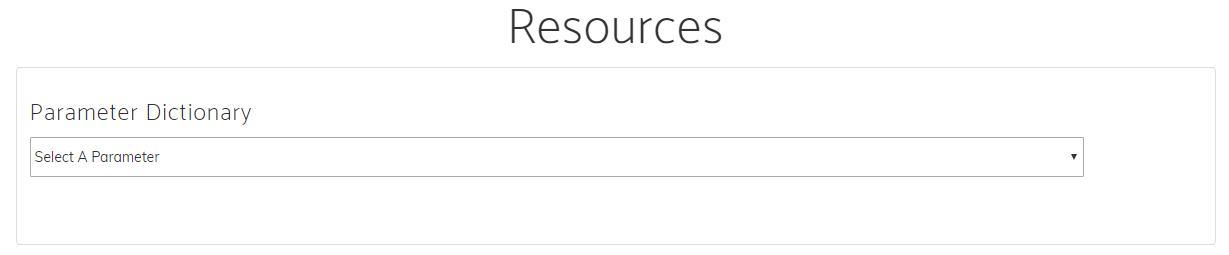 You can search for a parameter using the search bar at the top. Alternatively, you can enter keywords like "temperature," "solar," and "wind" or browse by category using the filters on the right-hand side. | 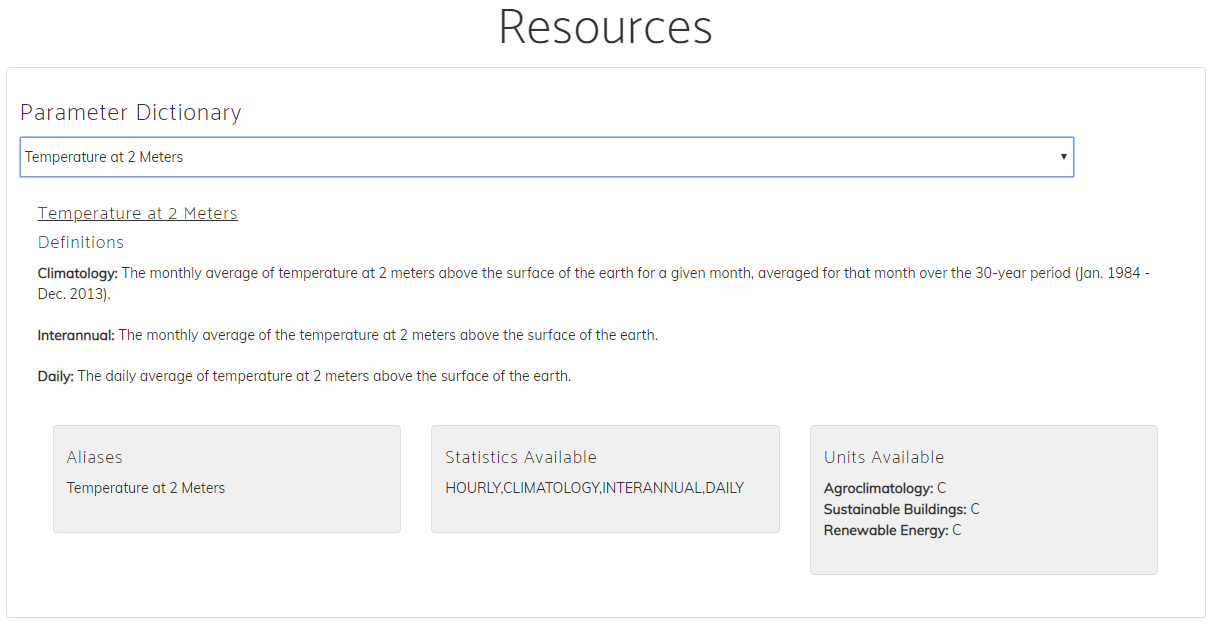 Click on a parameter’s expand icon to open a detailed view which displays: - Full and short names - Description and temporal resolutions - Community units - Data sources |
Example Use Case
Once you find the parameter you need, copy the short name (e.g., T2M). You can now use this in the POWER Data Access Viewer (DAV) or Application Programming Interface (API).
Tips
- Use filters to narrow down your search by topic (e.g., energy, agriculture, etc.).
- Check the units to make sure you are interpreting the data correctly.
- Compare parameters to find the best one for your specific question or project.
Ready to explore? Visit the Parameter Dictionary or read about the ways organizations around the world use POWER data with impact stories.
Naming Convention
POWER uses a standard naming convention across all services in the POWER data services, enabling you to access data from any of the POWER Services using the same naming convention.
- Names are typically less than 20 characters
- Abbreviated words are separated by a
_. - Grouped parameters lead with a common name (e.g. T2M: T2M_MAX, T2M_MIN, T2M_RANGE)
Groupings
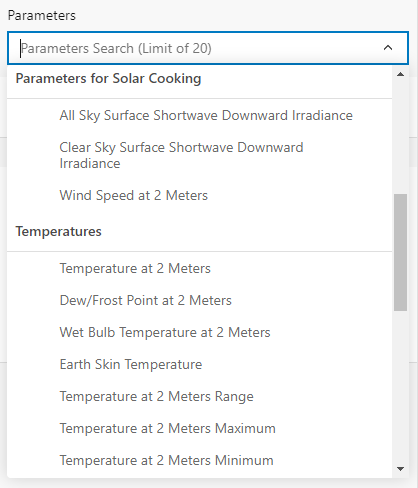
The parameter groups are dependent on the user community and temporal level selected when using the Data Access Viewer (DAV). These groups enable parameter recommendations to be tailored to each of the communities: Renewable Energy (RE), Sustainable Infrastructure (formerly Sustainable Buildings) (SB), and Agroclimatology (AG). While within each community, parameters are filtered by the temporal availability (Hourly, Daily, Monthly, Annual, or Climatological) allowing you to only select data that is available.
For each user community and temporal level, the parameters are organized in a hierarchical structure under their respective folder names.
Parameters Limit
There is currently a limit of 20 parameters that can be downloaded at a time using the Data Access Viewer (DAV).
| DAV Groupings |
|---|
 |